Live workouts
With a paired monitor, Ergon programs the erg and records the piece live: every stroke, with heart rate and force data.
Start from the app
The Workouts tab holds three sources. Build a workout opens the editor. My workouts holds the pieces you have saved. Ergon's library lists steady state, quality intervals, and benchmarks. A row opens the workout's details. The machine under the title says whose library you are looking at; tap it to change machine, and every page that shows one follows.
Send to monitor programs the piece onto the connected erg and opens the live screen. The monitor it will start on is named under the button. With no monitor paired, the button opens pairing first.
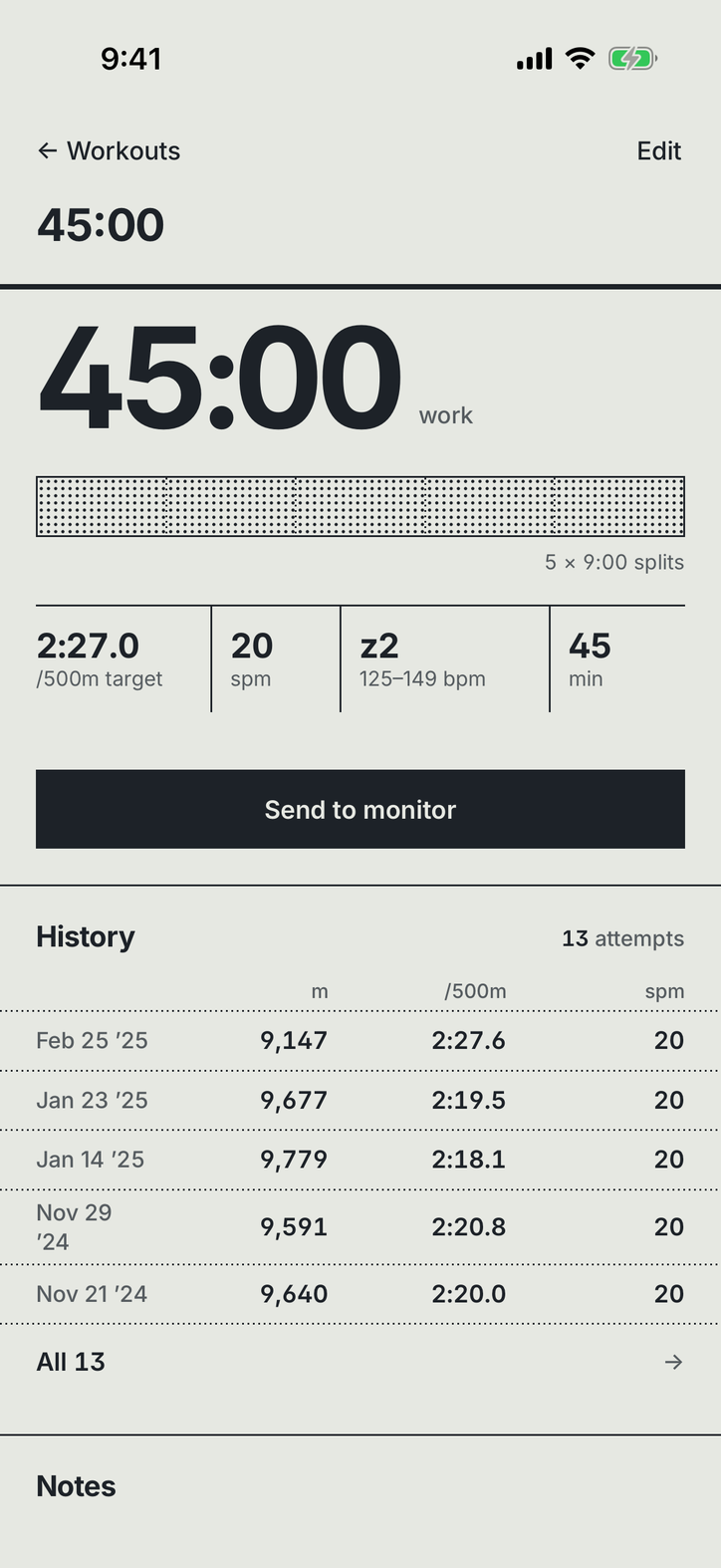
In the editor you can set targets: a pace (or watts), a stroke rate, a zone. Targets follow the piece onto the live screen.
Start from the erg
You do not have to start from the app. Set the workout up on the PM5, or just row. With the monitor paired, the live screen opens on its own and records the piece.
The live screen
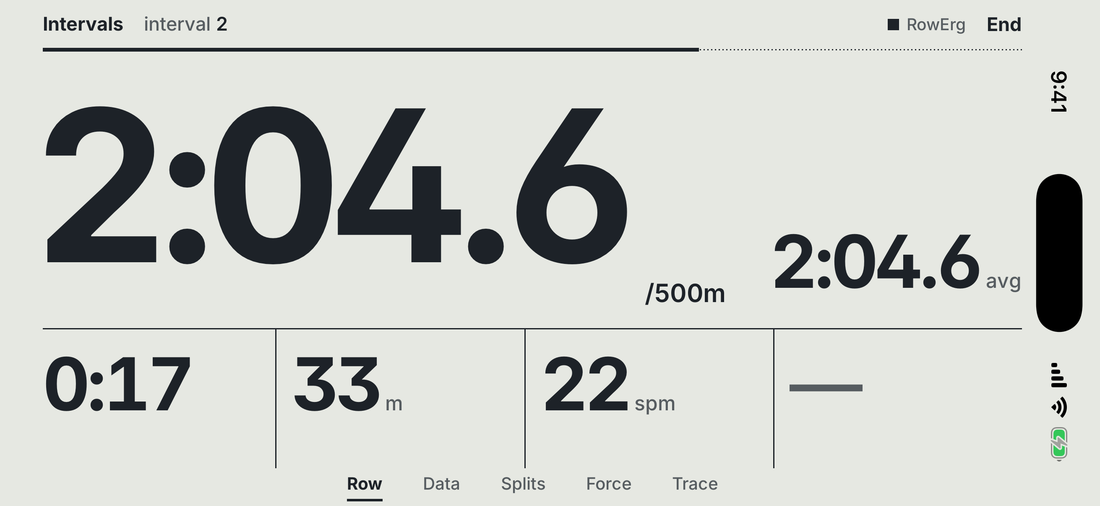
The live screen is landscape. Its pages are named along the bottom edge; swipe between them.
| Page | What it shows |
|---|---|
| Row | Pace large, the interval average beside it, then time, meters, rate, and heart rate on its zone's colour. With no heart rate strap, the fourth place shows watts on their power-zone colour. |
| Data | Eight readings of your choice. Tap a cell to swap in a different reading. The Watts cell shows a power or watts target. |
| Splits | A row per interval. The row appears the moment its work ends; the monitor's own record replaces it after the rest. |
| Pacer | Your gap to the target, as one number and one word: ahead, behind, or even. Appears when a pace target is set. |
| Force | The current stroke's force curve in red, your best stroke so far dashed in ink. You choose which readings show with it. RowErg, Dynamic, Slides and SkiErg only: the BikeErg has no force curve. |
| Trace | Pace, rate and heart rate across the whole piece. |
When a reading is off target, an arrow and the gap appear beside it. On target, nothing appears. Pace reads per 1000 m on a BikeErg, and follows your pace format in Settings on other machines. A watts target counts as on target within 5 watts. A power-zone target counts as on target inside that zone.
The Force page follows the Force curve setting in Settings: Drive draws the curve across the length of the drive, Time across the drive's time.
During a rest with no set length, the top line says to push a button on the PM5 and take a stroke. The rest ends when you do.
The Pacer and Force pages need Premium.
If the monitor goes out of reach
A red bar appears with the time since the monitor was last heard, and every reading holds its last value. Ergon records each stroke on the phone as it happens, so nothing already rowed is at risk. See PM5 troubleshooting.
End and save
A piece with a planned end finishes on its own, and Ergon saves it. To stop early, tap End, then End and save. The partial piece saves with everything rowed so far.
Before the first stroke, the way out is Leave. It clears the armed piece off the monitor and saves nothing.
After the save, the result opens: splits, zones, stroke charts and load. Ergon also writes the piece to your Concept2 Logbook if your account is connected. See Connecting Concept2.
Write to support@ergon.training. A human reads every message, usually within one business day.